Discover how to generate viral content
Generate carousels
The Gist: Carousel generator creates multi-slide posts for Instagram and TikTok. Get complete carousel concepts with copy, design layouts, and algorithmic reasoning in seconds.
What Carousel generation does
SocialGPT gives you everything you need for a high value Carousel:
Hook slide that stops the scroll
Multi-slide copy optimized for engagement and completely editable
Visual layouts you can customize
Algorithm breakdown explaining why this post will work
How to generate a carousel
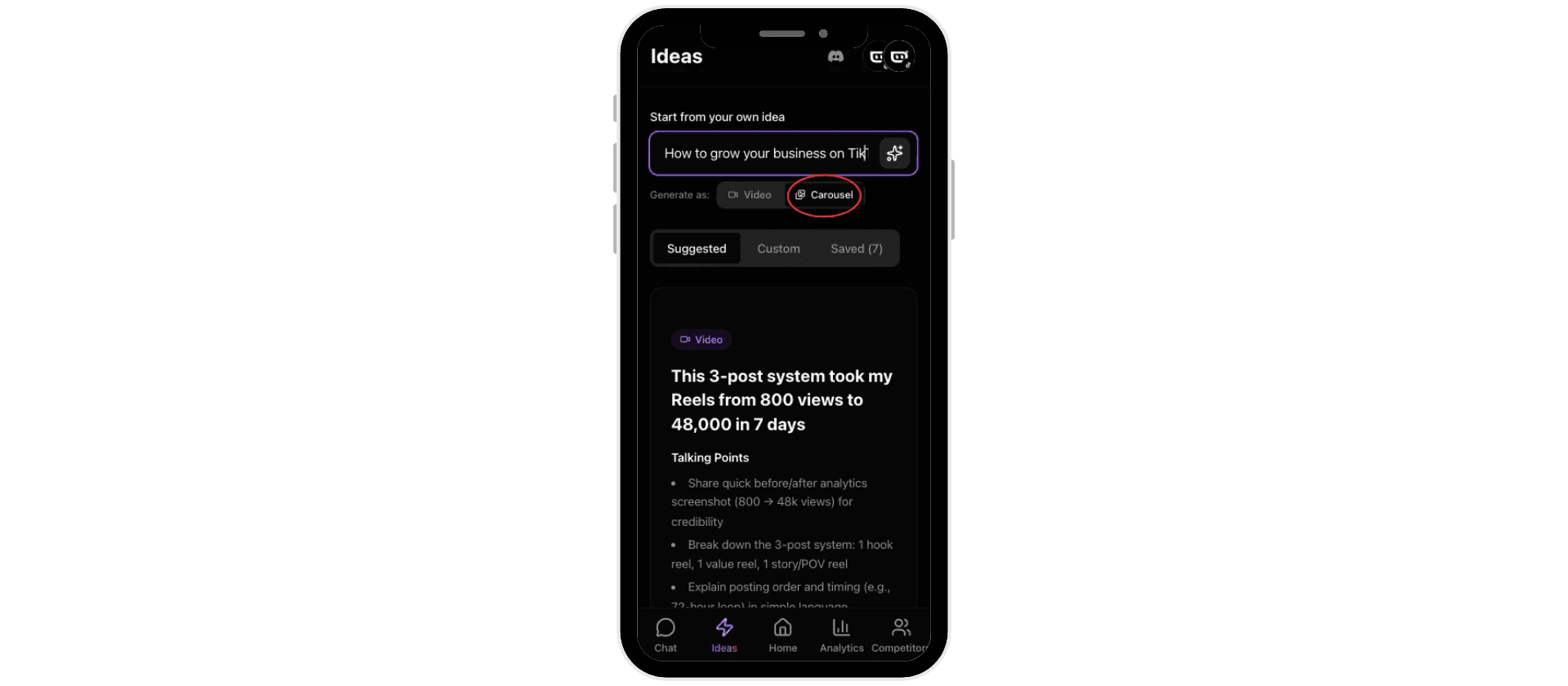
Go to the Ideas tab
Click Carousel from the "Generate as" options at the top
Type your carousel topic or angle into the input field
Click the Generate button

Preview and cycle through ideas
After generating, you'll see a carousel preview showing the concept and slide structure. Swipe through the slide previews. A carousel preview shows you the hook, slide titles, and overall flow.
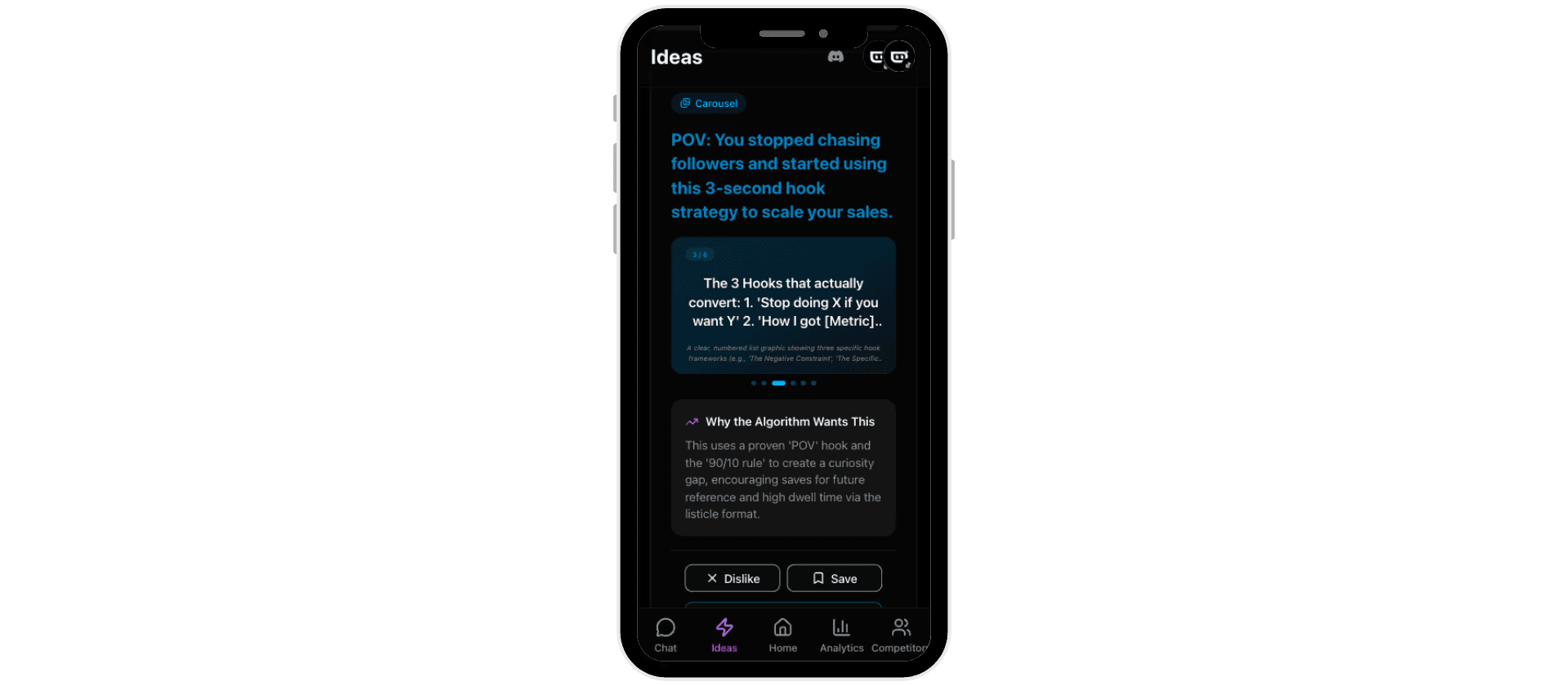
Understanding "Why the Algorithm Wants This"
Scroll down to see the algorithmic reasoning behind each carousel concept. This section explains which engagement mechanics are at play and why the hook and content should keep people engaged.
Save, dislike, or generate the full carousel
At the bottom of each preview:
Dislike removes the concept and generates a new one
Save moves it to your Saved tab for later
Generate Carousel creates the full design with all slides ready to edit
Edit your carousel design
Once generated, you can customize every slide:
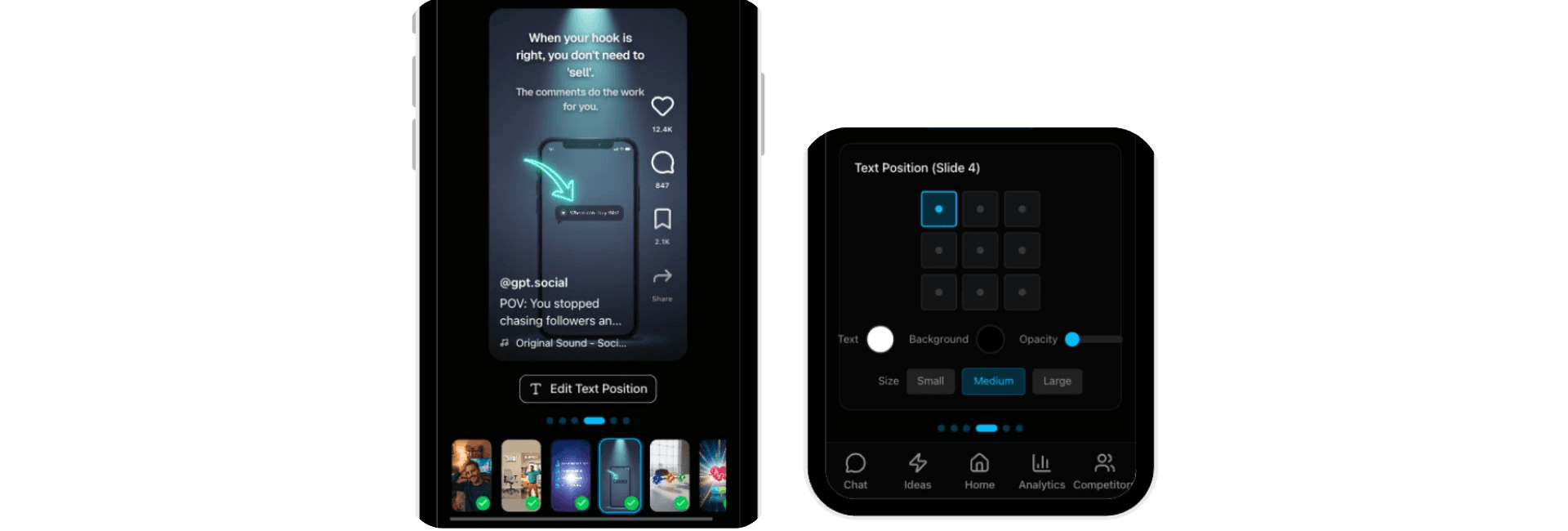
Edit text by clicking "Edit Text Position"
Change text position by clicking points in the grid menu
Adjust text color using the color picker
Adjust text size using the size menu
Modify text background color and opacity for better readability
Regenerate slides
Scroll to the bottom of the carousel editor and click Regenerate All Slides if you want fresh copy or a different design direction. This keeps your concept but rewrites the content and refreshes the layout.
Best practices
Save 5–10 carousel ideas at a time. Go to your Saved tab and pick the strongest ones to generate and customize. This lets you batch your content planning and always have options ready to post.